
Free Gold Trading Journal with Automatic Lot Size and Risk Calculation
A free trading journal for Excel and Google Sheets: enter your risk, entry, SL and TP and get the lot size and profit/loss instantly, plus how to use it to review your trading plan
Quick summary before you read
- The gold trading journal is a free Excel file that also opens in Google Sheets; download it and start filling it in right away
- Enter just your risk, entry, SL and TP and the file calculates the lot size and planned profit/loss automatically
- Gold formula: Lot = risk ÷ (SL distance × 100), then round down to the nearest 0.01 lot
- Log the reason for every trade and review weekly to see whether you entered on a signal or on emotion
What is a trading journal?
Technical analysis is at the heart of trading gold: trends, support and resistance, candlestick patterns and divergence. But professional traders know that
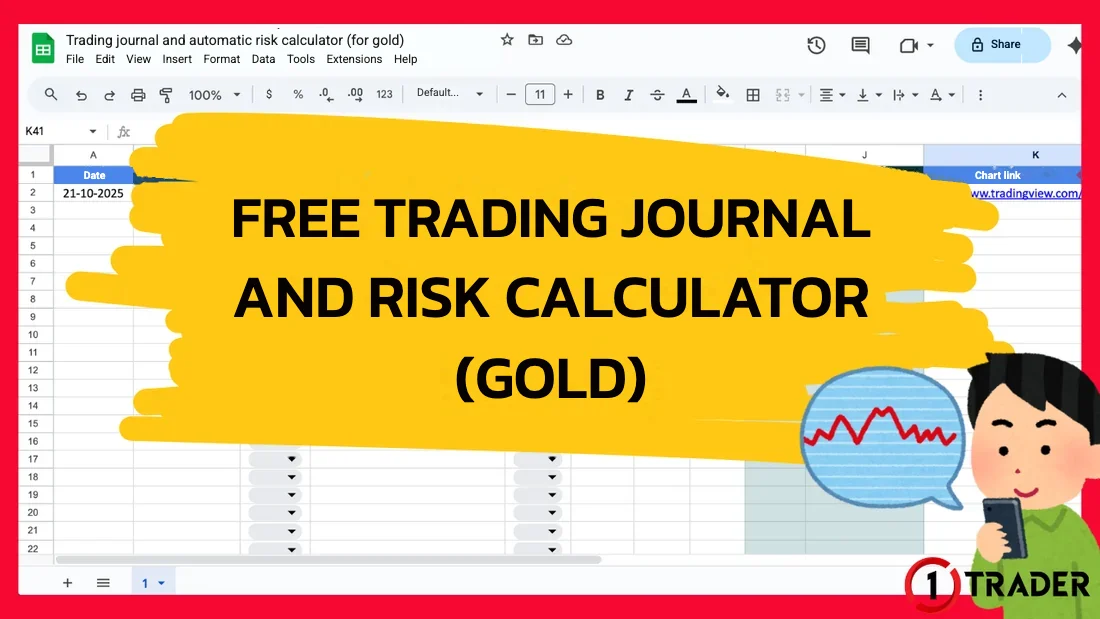
A trading journal records the details of every order in one place, from your reason for entering, entry, SL, TP and lot size to the profit or loss. 1TRADER made a gold trading spreadsheet that calculates the lot size automatically from the amount you’re willing to risk per trade, and it’s free.
Why keep a trading journal?
Trading doesn’t end at the “entry”; it also covers managing lot size, stop loss and take profit. Logging every trade shows whether your strategy really works and what to improve. When you know why you entered, how many dollars you risked and how it turned out, you understand “your own trading process” much better.
Download the file and start using it
Trading journal and automatic risk calculator (for gold) Excel file (.xlsx) · free · opens in Excel, Google Sheets and LibreOffice
Download the Excel file ↓Don’t type over the formula columns (LOT SIZE and profit/loss), or the formulas will be lost. If you delete one by mistake, copy the formula down from the row above.
What’s in the file?
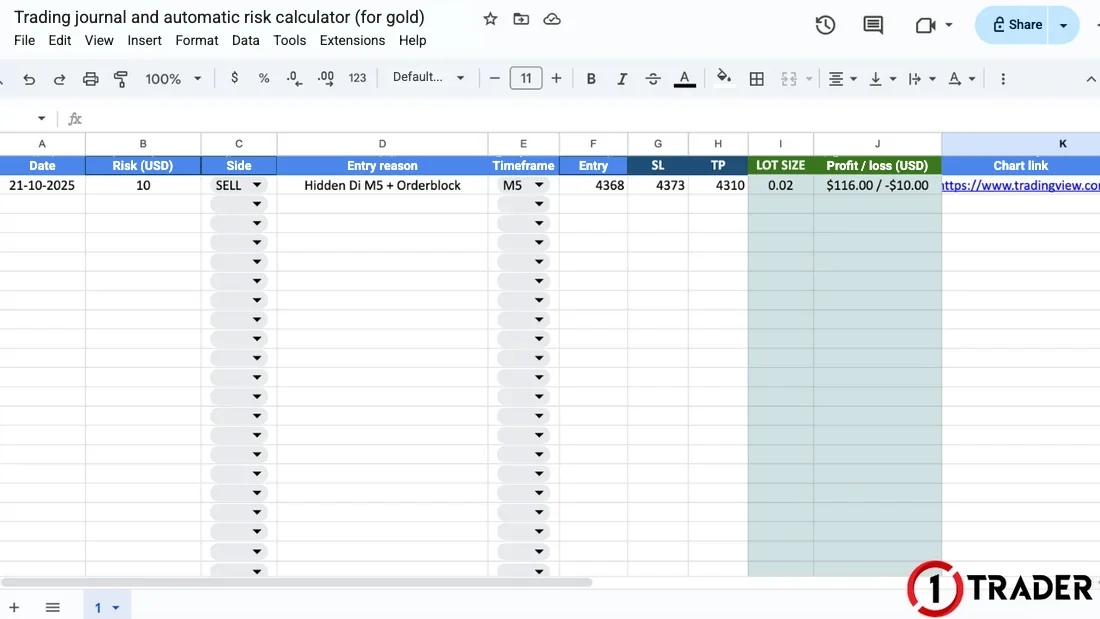
- Date
- The day you open the order
- Risk (USD)
- The amount you plan to risk on the trade (risk per trade)
- Side
- BUY or SELL, chosen from a dropdown
- Entry reason
- e.g. RSI overbought/oversold, divergence, a candlestick pattern, an order block
- Timeframe
- e.g. M5, M15, M30, H1, for later analysis
- Entry
- The price you open the order at
- SL
- Your stop loss
- TP
- Your take profit
- LOT SIZE
- Calculated automatically from your risk and the SL distance
- Profit / loss (USD)
- The result if price reaches TP / hits SL, calculated automatically
- Chart link
- A link to a chart screenshot from TradingView or MT4/MT5 for review
The “entry reason” column matters most. Be specific: “hidden divergence M5 + order block H1” is better than “looked like it would drop”. Review the signals in EP7 Divergence and EP5 Order blocks; you can create chart links with the snapshot button in TradingView (EP15).
How does the file calculate the gold lot size?
At most brokers, 1 lot of gold (XAUUSD) is 100 ounces, so a $1 move makes or loses $100 per lot ($1 per 0.01 lot). The file therefore uses this formula:
Gold SELL on M5
TP hit or SL hit
Always round the lot down, and watch for lots below 0.01
The file applies the formula directly without rounding. For example, with the SL at 4,380 ($12 away) and $10 of risk, you get 10 ÷ 1,200 = 0.0083 lot, below most brokers’ 0.01 lot minimum. If you open 0.01 lot, your real loss is $12, not $10.
The numbers in the file don’t include spread, commission or swap, so your real loss may be slightly more than your risk. Keep your risk to no more than 1–2% of your account as in EP9 Money management, and use a lot and pip calculator for other currency pairs.
Reviewing your results and cautions
Logging isn’t enough on its own; you need to come back to the data regularly. Review it every week or every 20–30 trades and look at these numbers:
- Win rate
- Winning trades ÷ total trades × 100
- Average RR
- Average gain per winning trade compared with average loss per losing trade
- Expectancy
- (win% × average gain) − (loss% × average loss); if it’s positive, the plan can make money over time; see EP22
- By entry reason
- Which signals win often, and which you should drop
- By timeframe
- How different M5 and H1 results are
- Trades off plan
- Moving the SL, entering out of FOMO, or raising the lot after a loss
Summary: filling in the trading journal
| Field | What to enter | Example | How it helps |
|---|---|---|---|
| Risk | Risk per trade in dollars | $10 (1–2% of the account) | Keeps the loss per trade consistent |
| Entry reason | The signal behind the decision | Hidden Divergence M5 + Order Block | Separates signals from emotions |
| Entry · SL · TP | Your plan before placing the order | SELL 4368 · SL 4373 · TP 4310 | Shows the risk distance and profit target |
| LOT SIZE | Calculated automatically | 10 ÷ (5 × 100) = 0.02 | No manual lot maths; round down by 0.01 |
| Profit/loss · chart | Planned result and a chart link | +$116 / −$10 · TradingView link | Review and improve your plan |
Technique gets you into trades; your journal tells you whether that technique really works
The trading journal helps in 3 ways: precise risk management without manual lot maths, knowing whether you entered on a signal or emotion, and reviewing past trades to improve your plan. Get the most from it by filling it in before every trade, always rounding the lot down and reviewing regularly.
FAQ about trading journals
What is a trading journal?
A trading journal records the details of every order, such as the date, side, entry reason, timeframe, entry, SL, TP, lot size and profit or loss, so you can review whether your strategy really works and what to improve.
Is this trading journal free, and how do I use it?
Yes, it’s free. Download the Excel file (.xlsx) and open it in Excel or LibreOffice, or in Google Sheets via File > Import > Upload. You can edit it straight away.
How do I calculate the lot size for gold?
Use Lot = risk ÷ (SL distance in dollars × 100), because 1 lot of gold is usually 100 ounces, so a $1 move makes or loses $100 per lot. For example, $10 of risk with an SL $5 away gives 10 ÷ 500 = 0.02 lot.
Why does the lot have many decimals or come out below 0.01?
The file applies the formula directly without rounding, but most brokers have a 0.01 lot minimum and step, so always round down. If you get less than 0.01, the SL is too wide for your risk: tighten the SL, accept the higher real risk, or skip the trade.
Can I use this file for Forex pairs?
The lot formula is designed for gold (multiplier 100), and currency pairs have different pip values. For pairs, use the file as a log only and calculate the lot with a lot and pip calculator instead.
What else should I record besides the file’s columns?
Record the actual closing result (if you close before TP or SL), your emotions at entry, any relevant news and anything you did off plan, because the profit/loss column shows the planned result at TP and SL, not always the actual result.
How often should I review my trading journal?
Review it every week or every 20–30 trades. Look at your win rate, average risk/reward and total profit or loss by entry reason and timeframe, then keep only the setups that work. Don’t judge a strategy on just a few trades.
Read EP27 again Next lesson · EP29 How to Choose a Forex Broker as a Beginner: 5 Things to Check License · spreads and commissions · platform · deposits and withdrawals · support
Read EP29 →
See all lessons in the free Forex and gold trading course
Risk warning: Trading Forex, gold and CFDs carries a high level of risk and you may lose money. The trading journal and lot calculator do not guarantee profits. 1TRADER provides information and education to support your own decisions only. Past results do not guarantee future results. Read the full risk disclosure.