
Free FVG Indicator for TradingView and How to Use IFVG
Install the free FVG (Nephew_Sam_) indicator in 4 steps to mark Fair Value Gap zones across timeframes automatically, then learn how to trade FVG and Inversion FVG with a gold example.
Quick summary before you read
- FVG (Nephew_Sam_) is a free TradingView indicator that marks FVG zones automatically · supports MTF · deletes filled zones · has an iFVG option
- FVG = 3 candles where the wicks of candles 1 and 3 don’t overlap, leaving an imbalance gap
- Trading FVG: wait for price to retrace into the zone with the trend · SL outside the zone/beyond candle 1
- IFVG = an FVG that price closes through, so the zone flips support ↔ resistance; used to confirm a new trend
What is FVG, and why use an indicator?
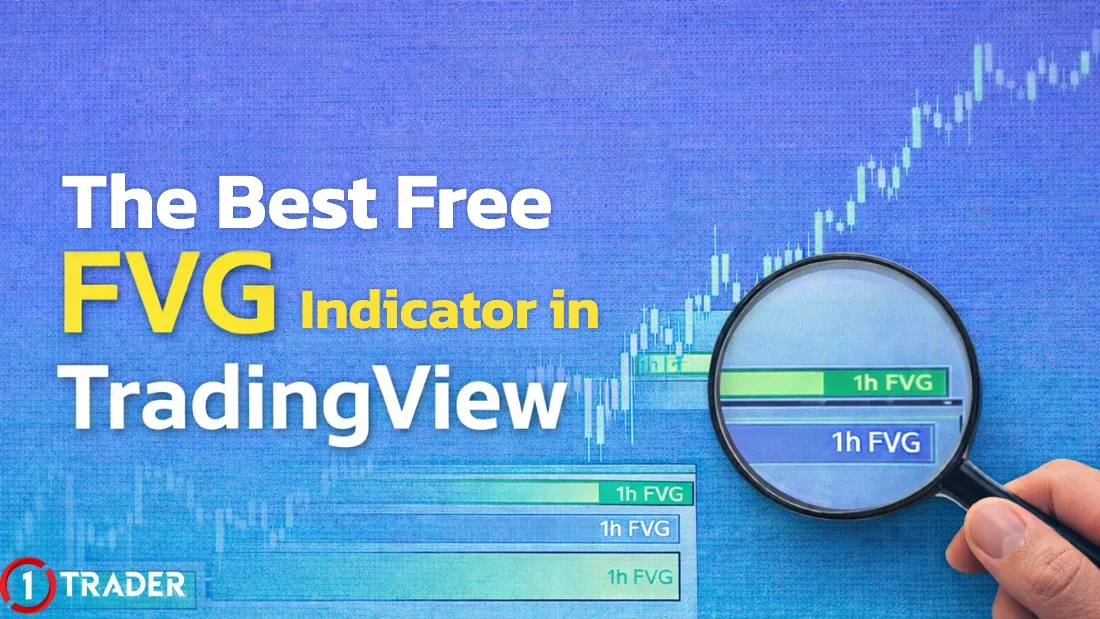
In Smart Money Concepts (SMC), an FVG is seen as a footprint of large buying or selling. The problem is that charts are full of FVGs, and marking them yourself on every timeframe is tiring and easy to get wrong. An indicator marks the zones for you automatically. Review the basics in What is FVG (EP6), and other SMC indicators in EP16 and EP27.
Free FVG indicator (Nephew_Sam_): how to install it
For beginners, or anyone who doesn’t want to draw zones by hand, FVG (Nephew_Sam_) is a popular TradingView indicator: it’s free, clear, and shows FVGs from several timeframes (MTF) on one chart.
- MTF
- Shows FVGs from several higher timeframes on one chart
- Delete Lines
- Deletes a zone once price has filled the gap, keeping the chart clean
- Fill Option
- Counts a gap as filled when a candle closes through it, or when a wick touches the far edge
- iFVG
- Option to show Inversion FVGs (added in May 2025)
This script is protected: it’s free to use, but you can’t view or edit the code. A free TradingView account allows 2 indicators per chart; if you need more, see the plans in EP34.
How to spot bullish and bearish FVGs
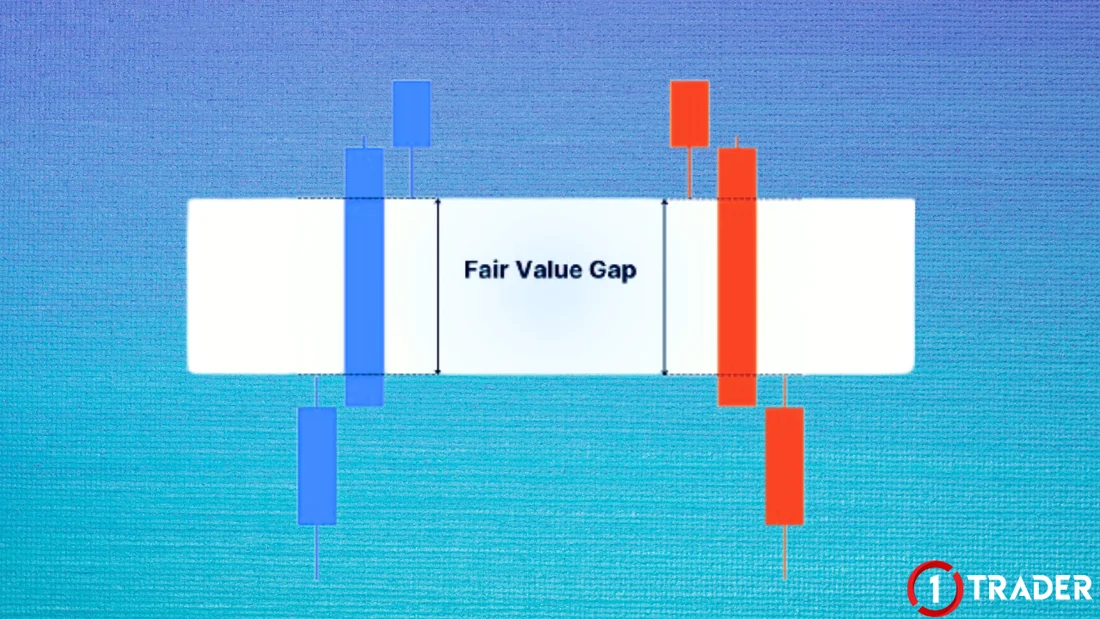
An FVG is made of 3 consecutive candles, where candle 2 is a long, strong candle.
How to trade FVG: wait for price to retrace into the zone
The market often comes back to rebalance an imbalance gap, but not every time, so trade only FVGs that line up with the trend and market structure.
- Entry
- Wait for price to retrace into the FVG zone, then enter with the trend. Many traders use the middle of the zone (50%) as the entry
- Stop Loss
- Outside the FVG zone or beyond the low/high of candle 1
- Take Profit
- The previous high/low or the next liquidity, then check the RR is worth it
Find the zone and entry
Work out the RR before entering
FVGs from higher timeframes (H1–H4) carry more weight. Use the MTF option to see H1 zones on an M5–M15 chart, following Multi-Timeframe (EP19), and work out RR as in EP22.
How to use IFVG (Inversion Fair Value Gap)
An IFVG is an FVG that price breaks. Instead of bouncing off the zone, price runs through it and closes above or below it, so the zone flips its role. It signals a reversal or confirms the strength of a new trend.
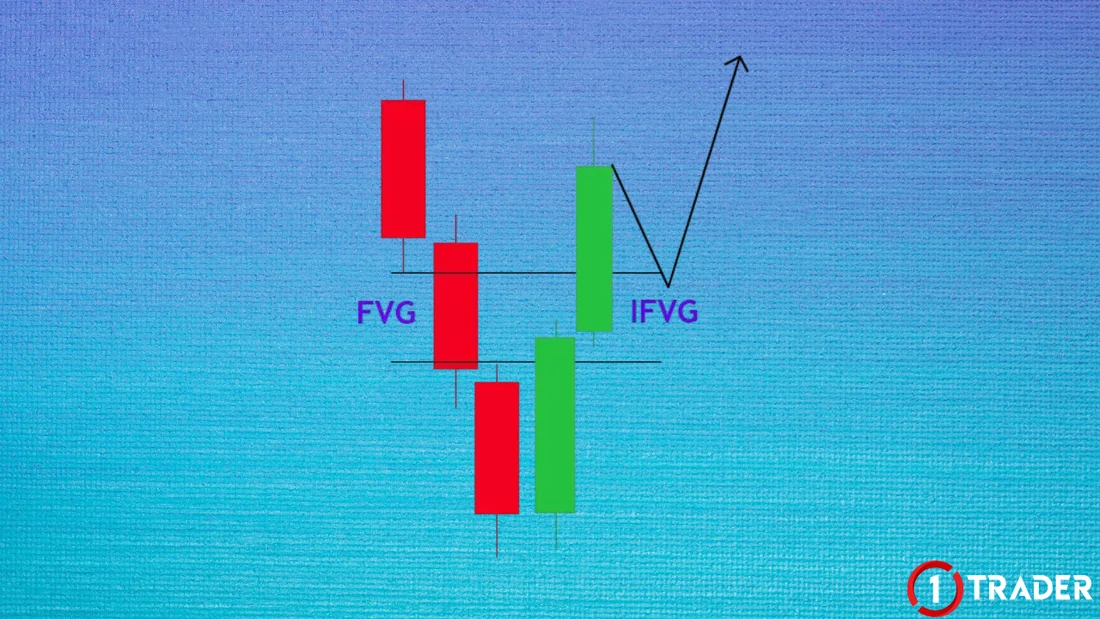
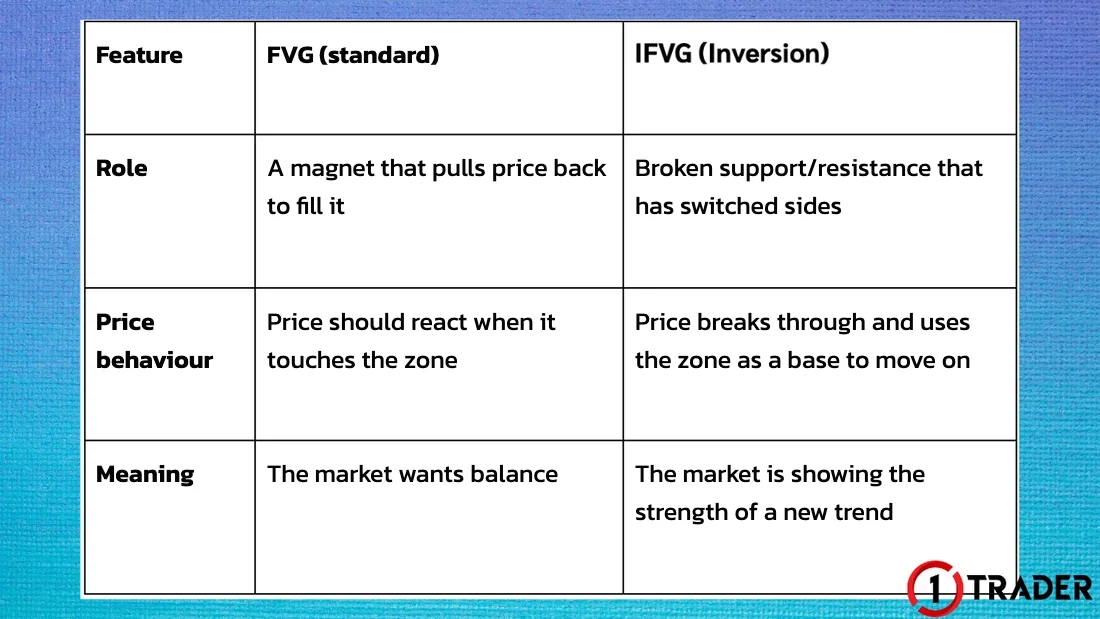
An IFVG depends on the candle close, not just a wick through the zone, and it is more reliable when it comes with a change in market structure, such as a break of a key high/low. See how to read structure in EP33.
Summary table: FVG vs IFVG
| Pattern | Forms when | Zone acts as | How to trade |
|---|---|---|---|
| Bullish FVG | Candle 1 high < candle 3 low, candle 2 surges up | Support | Wait for a pullback into the zone, then buy |
| Bearish FVG | Candle 1 low > candle 3 high, candle 2 drops | Resistance | Wait for a bounce into the zone, then sell |
| Bearish IFVG | Price closes down through a bullish FVG | Support turned resistance | Wait for a bounce up to test it, then sell |
| Bullish IFVG | Price closes up through a bearish FVG | Resistance turned support | Wait for a pullback to test it, then buy |
The indicator shows you the zones, but FVG and IFVG are always more accurate when used with market structure
Before using real money, backtest your FVG trading with Bar Replay (EP34) for at least 30 trades and record the results in your trading journal (EP28).
Frequently asked questions about the FVG indicator
Which FVG indicator in TradingView is best?
A popular choice is FVG (Nephew_Sam_): it’s free, shows zones clearly, supports multiple timeframes (MTF), can delete lines once price fills the gap, and since a 2025 update has an option to show iFVG. The script is protected (closed source), so it’s free to use but you can’t edit the code.
How do I install the FVG (Nephew_Sam_) indicator?
Open a chart in TradingView, click Indicators, search for FVG (Nephew_Sam_) and click the indicator’s name to add it to the chart. Click the star to save it to your favourites for next time. A free account allows 2 indicators per chart.
What is an FVG?
A Fair Value Gap is a price gap formed by 3 consecutive candles, when the middle candle moves so strongly that the wicks of candles 1 and 3 don’t overlap. It shows an imbalance between buying and selling. Price often comes back to test the zone, but not every time.
What is an IFVG, and how is it different from an FVG?
An IFVG, or Inversion FVG, is an FVG that price breaks and closes through, so the zone changes role. A bullish FVG that price closes below becomes resistance, and a bearish FVG that price closes above becomes support. It is used to confirm that the trend has changed.
Where should I enter and place my SL when trading FVG?
Wait for price to retrace into the FVG zone in the direction of the trend. Many traders enter at the middle of the zone (50%) or wait for a confirming candle in the zone, then place the SL outside the zone or beyond the low/high of candle 1, with the TP at the previous high/low or the next liquidity.
Which timeframe should I use for FVG?
Any timeframe works, but FVGs from higher timeframes such as H1 and H4 carry more weight. A common approach is to mark zones on H1–H4, then look for entries on M5–M15, following multi-timeframe analysis. An indicator with MTF support shows higher-timeframe FVGs on a lower-timeframe chart.
Can I trade with FVG alone?
It’s not a good idea. FVGs appear very often and many zones get no reaction. Use them with market structure, the higher-timeframe trend and zones such as order blocks or support and resistance, and always set a stop loss.
Read EP35 again Next lesson · EP37 6 Candlestick Patterns Every Beginner Should Remember Doji · Hammer · Engulfing · Pin Bar · Morning Star · Inside Bar
Read EP37 →
See all lessons in the free Forex and gold trading course
Risk warning: Trading leveraged Forex, gold and CFDs carries a high level of risk and you may lose all the money you invest. Indicators are analysis tools and do not guarantee results. The figures in this article are examples for education. 1TRADER is a partner (IB) of some brokers and provides information to support your own decisions only. Read the full risk disclosure.